
Building a Purchase Order Agent with Retool
Hi, I’m Alexander from Sixth Generation. In this walkthrough, I want to show you the Purchase Order Agent we built with Retool Agents.
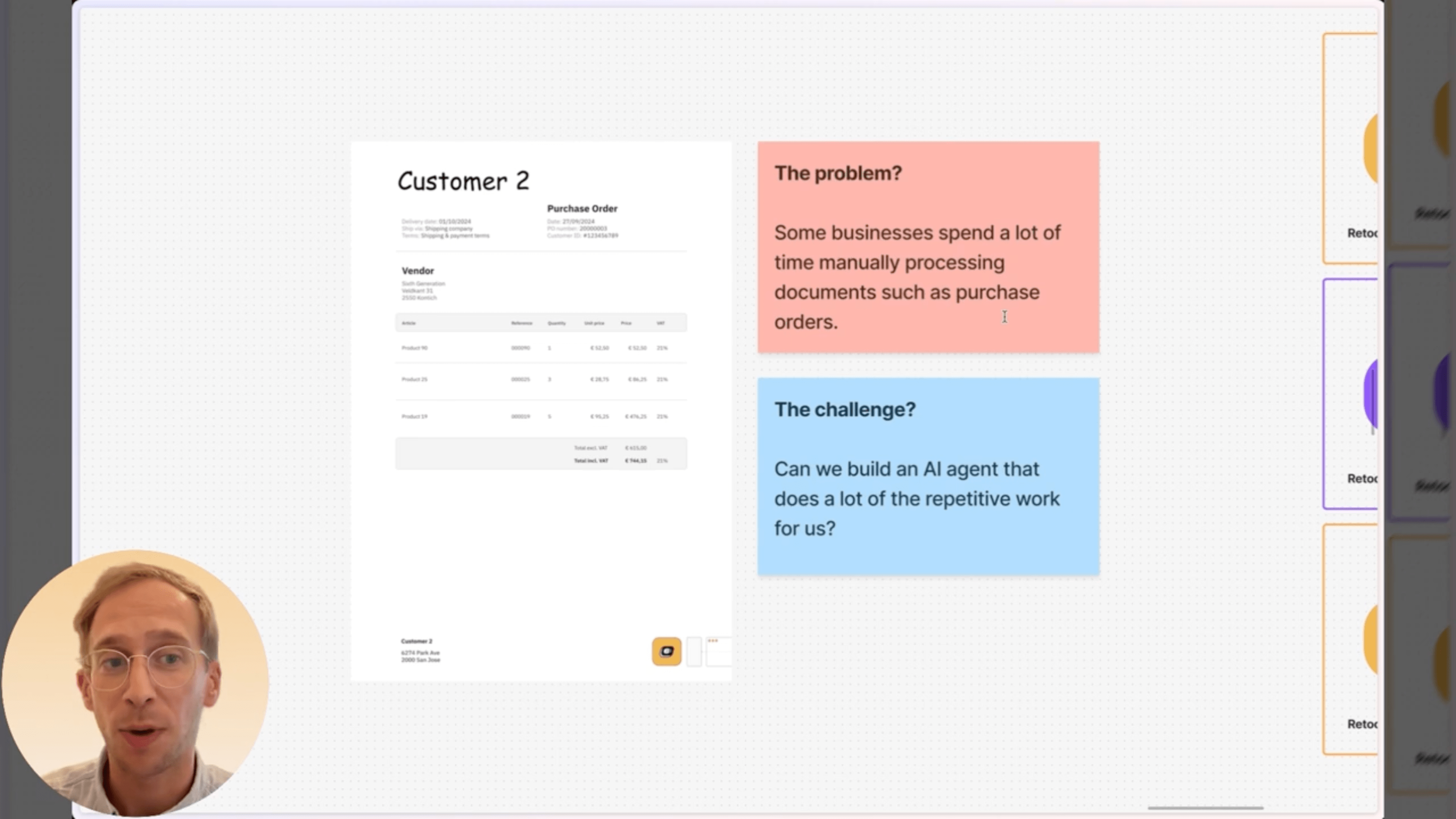
Many companies still receive purchase orders from customers as PDF files. Someone in the back office needs to open each document, figure out who the customer is, read every order line, and manually type all that information into an ERP system. It’s repetitive, slow, and error-prone. In other words, it’s an ideal use case for an AI Agent.
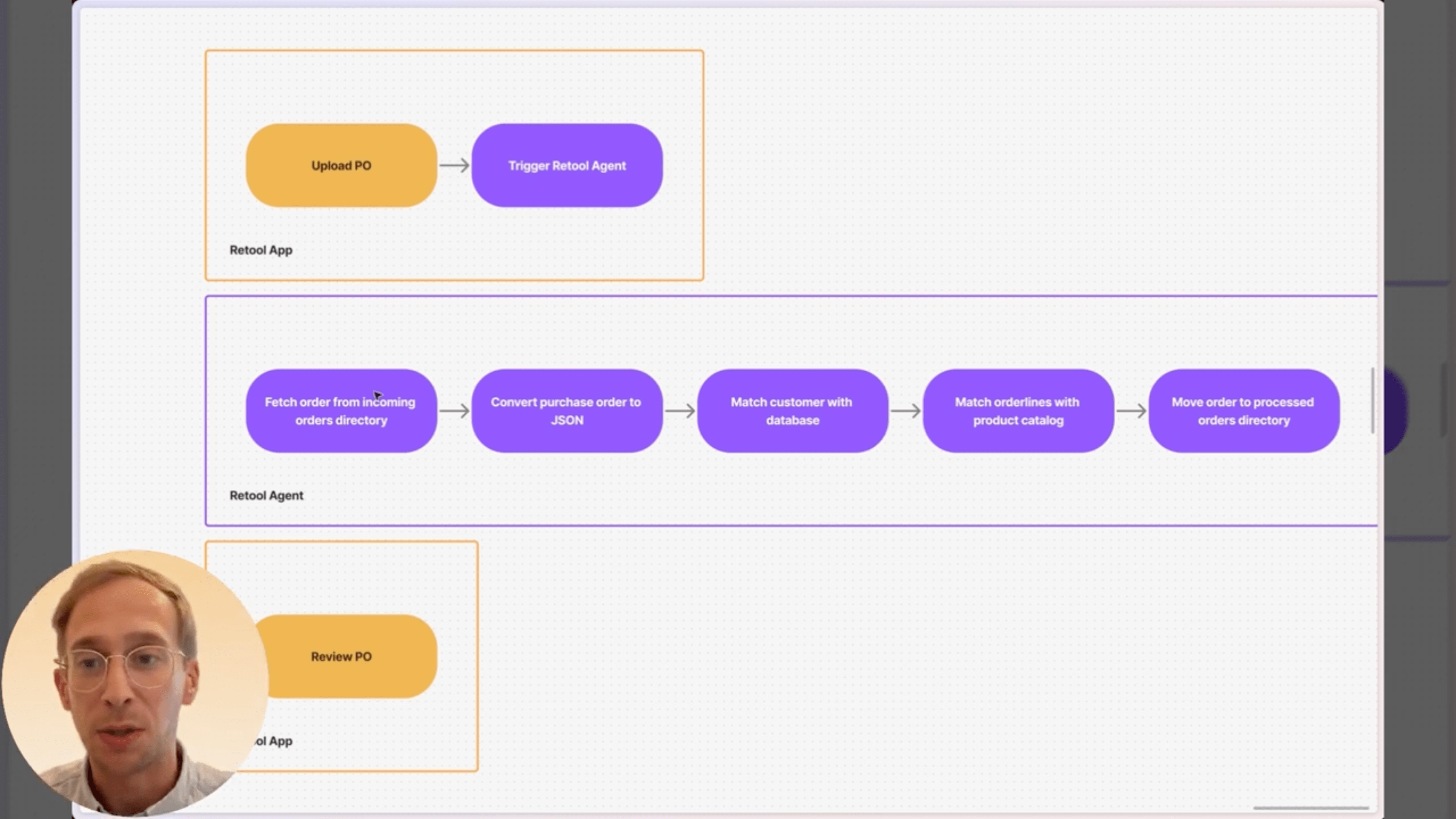
How the Purchase Order Agent works
The process starts in a simple Retool app where a user uploads a purchase order. As soon as the file is uploaded, it triggers our Purchase Order Agent.
The agent then runs through the full workflow:
- Fetch the document from the incoming orders directory
- Convert the PDF into structured JSON
- Match the customer found in the PDF with the customer record in our database
- Match all order lines with products from our catalog
- Store the processed order in our database
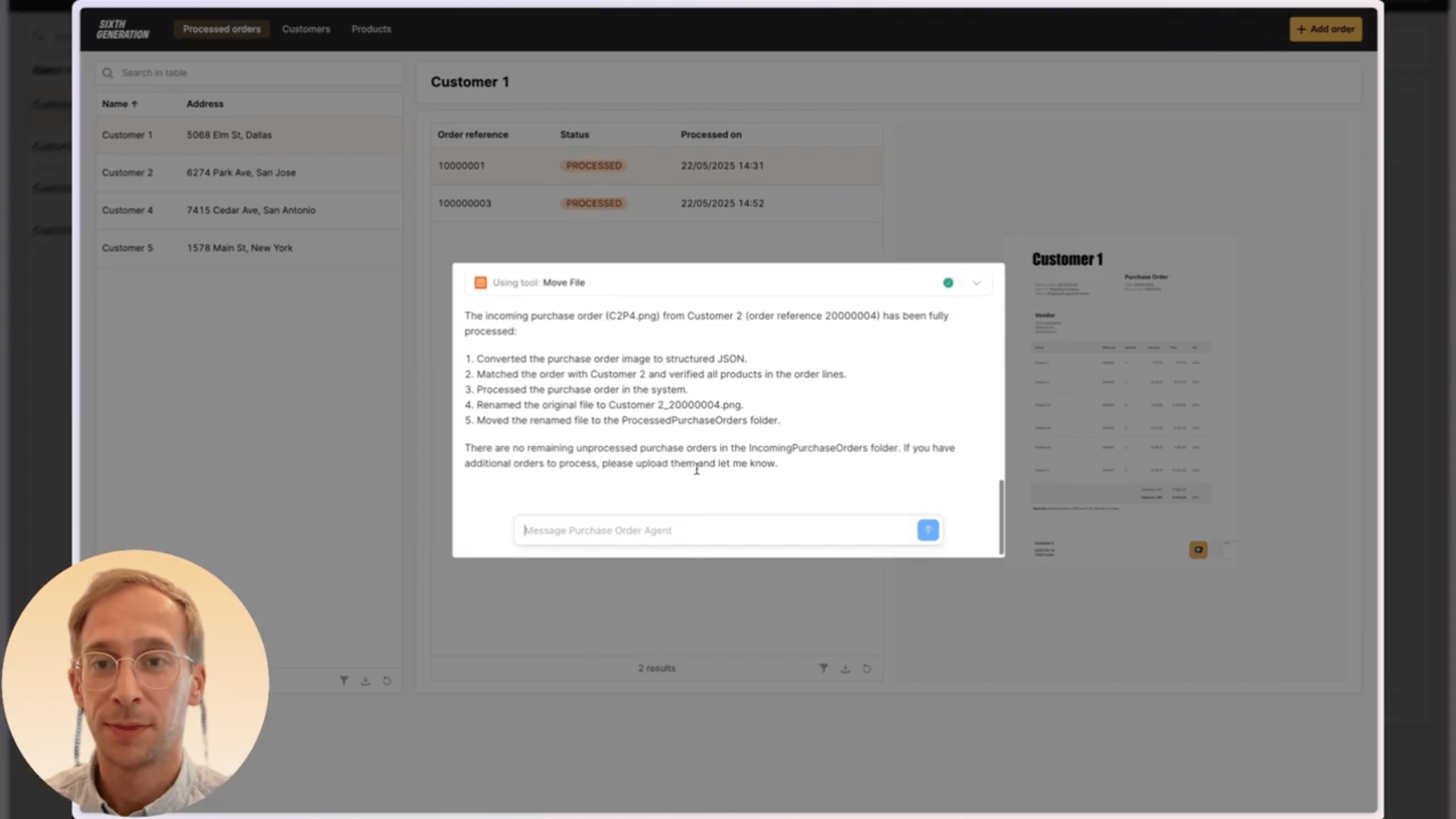
- Move the file to the processed orders directory in Retool Storage
Once the agent finishes, the user can review everything inside the application before sending it to the ERP.
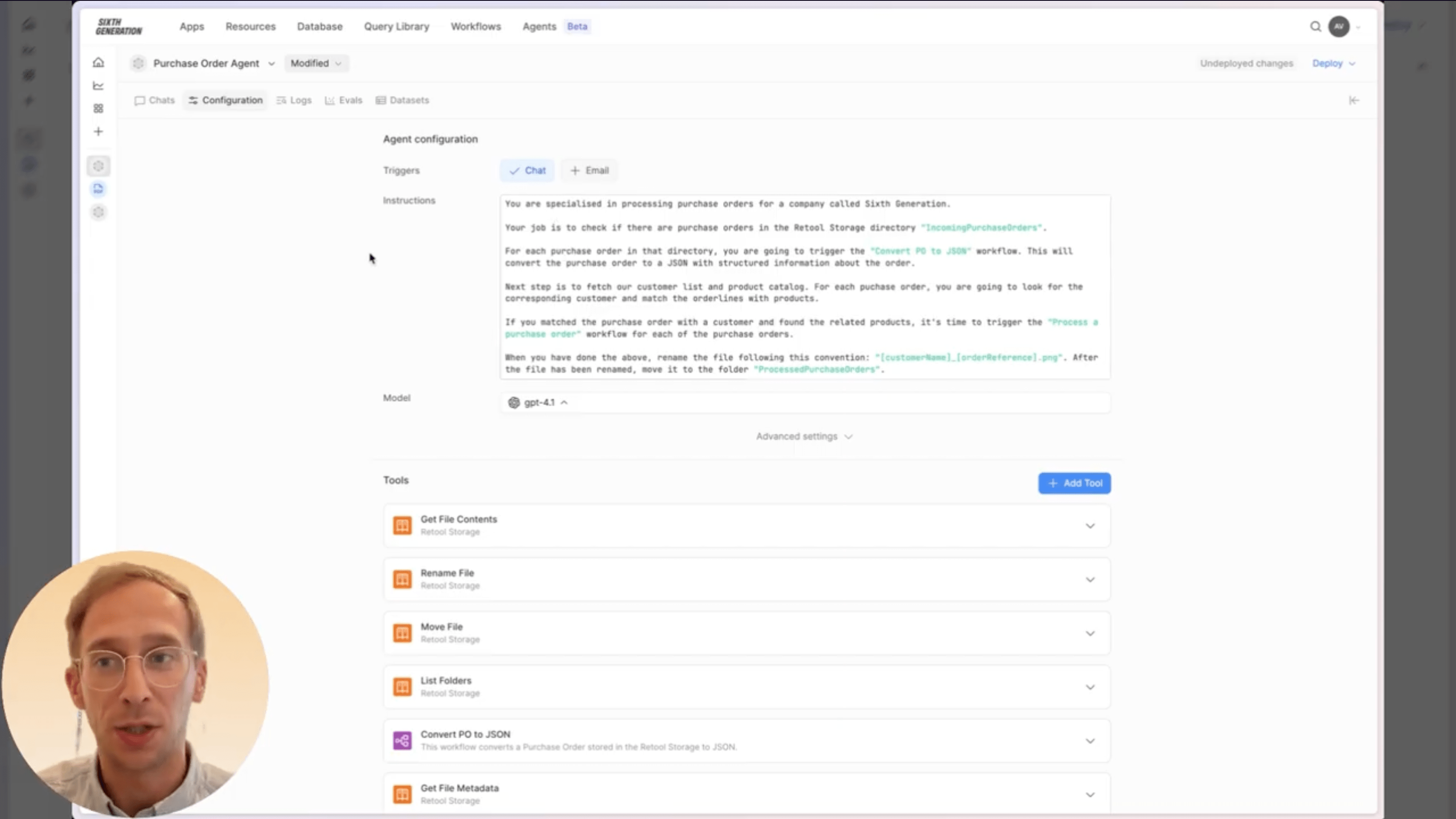
Inside the Agent configuration
The agent uses a set of clear instructions that define its role: process purchase orders for Sixth Generation. It then follows the workflow described above using a combination of Retool Storage tools and several Workflows:
- A workflow that converts the PDF into structured JSON
- A workflow that retrieves our customer list and product catalog
- A workflow that stores the final, processed order in the database
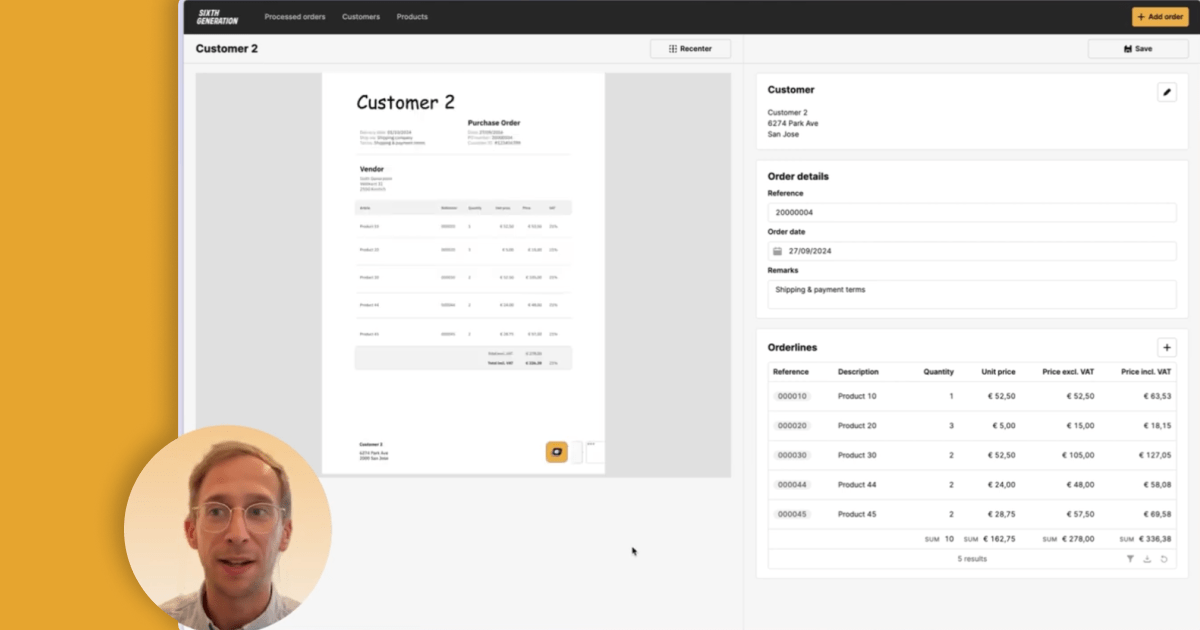
The review application
The Retool app itself is intentionally simple: customers on the left, processed orders on the right, and access to both the customer list and product catalog. When a new order is added and the PDF is uploaded, the agent immediately starts processing it.
In the example from the video, the agent retrieves the file, converts it to JSON, loads our customer and product data, performs all matching, saves the order to the database, and moves the PDF to the processed directory.
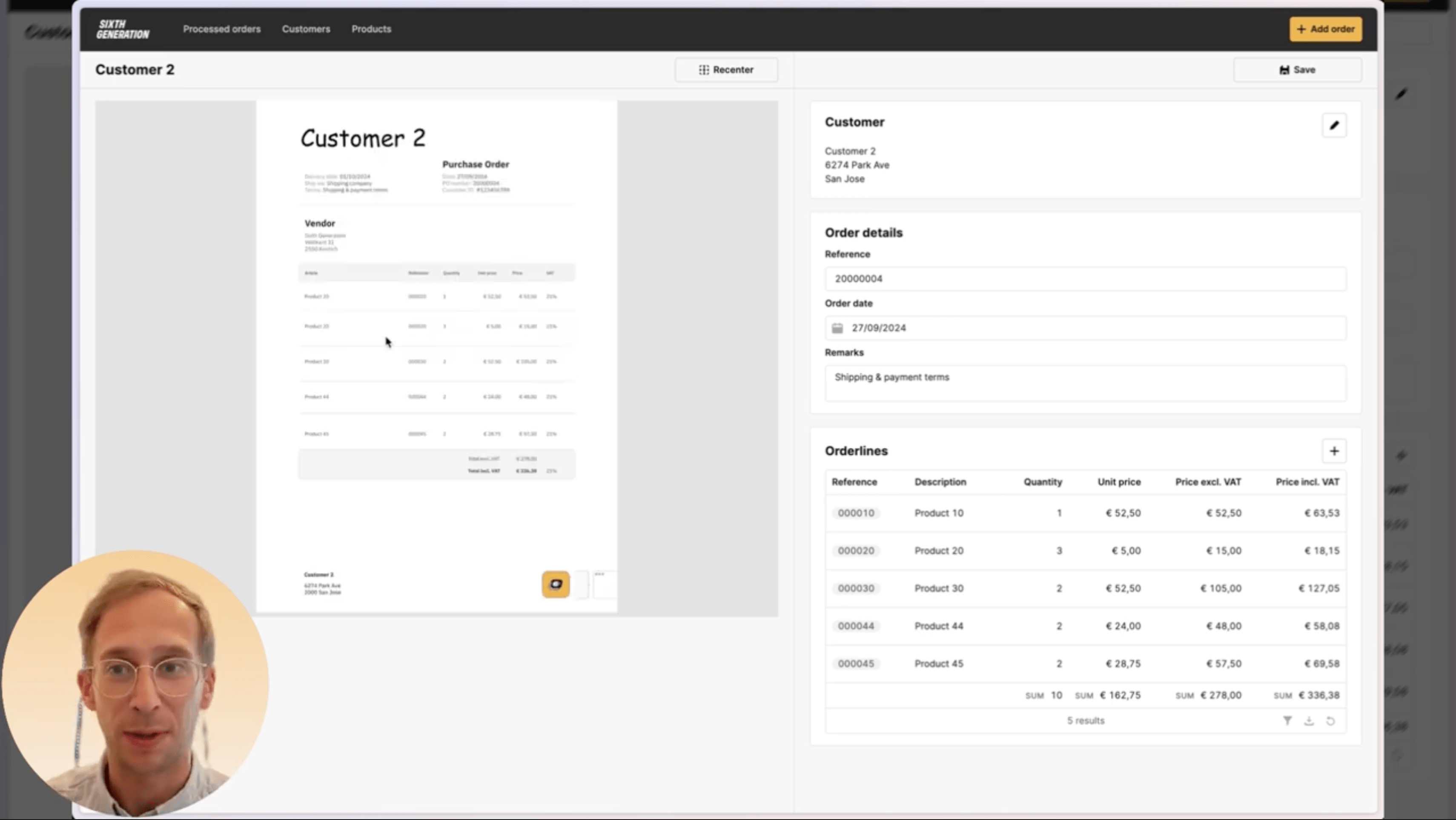
Once finished, the new order appears in the application. Opening it shows a detail view with:
- The original PDF for verification
- Identified customer information
- Order reference and order date
- Shipping, payment, and additional remarks
- Matched order lines, quantities, and calculated prices
Everything can be cross-checked by the business user before final confirmation. In this example, the agent correctly identified all order lines and matched them to the correct items in the product catalog.
Why this matters
This is a strong example of what a Retool Agent can automate: a repetitive, accuracy-critical workflow that normally consumes a lot of manual time. With an agent handling extraction, matching, and data preparation, teams can focus on the work that actually requires human judgment.
If you want to explore how Retool Agents can automate similar processes in your business, feel free to reach out!
Want to learn more about Retool?
Are you exploring how Retool Agents, apps, and workflows can help you automate repetitive tasks? Take a look at our What is Retool? page for a deep dive!


