
Introducing Retool Assist
At Sixth Generation, it's no secret that we love building apps with Retool. For those who are new to it, Retool is a low code platform that lets you drag and drop components onto a canvas and tie them together with code, allowing you to build applications really fast.
And things are about to get even faster. Retool has launched an exciting new product called Retool Assist. Assist is an enterprise AppGen platform that turns natural language into fully functional apps in minutes. These apps come prewired to your data and are ready for production from the start.
In this video, I’m going to walk you through an IMDb-style application that I built with the help of Assist to show you what it can do. Let’s dive in.
What have we built?
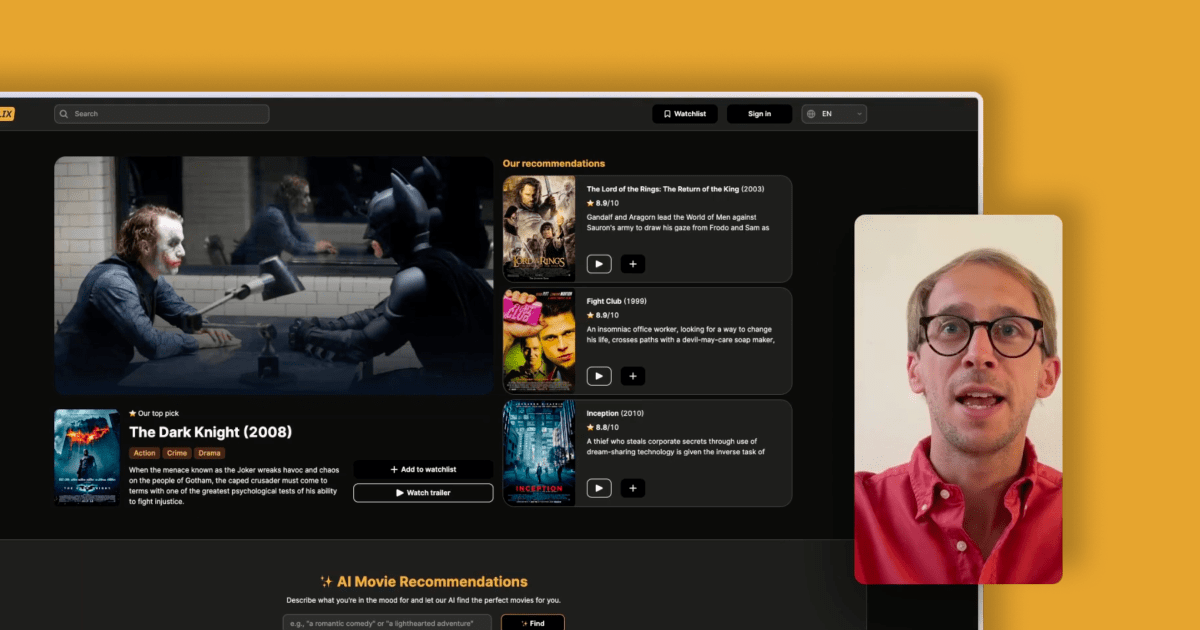
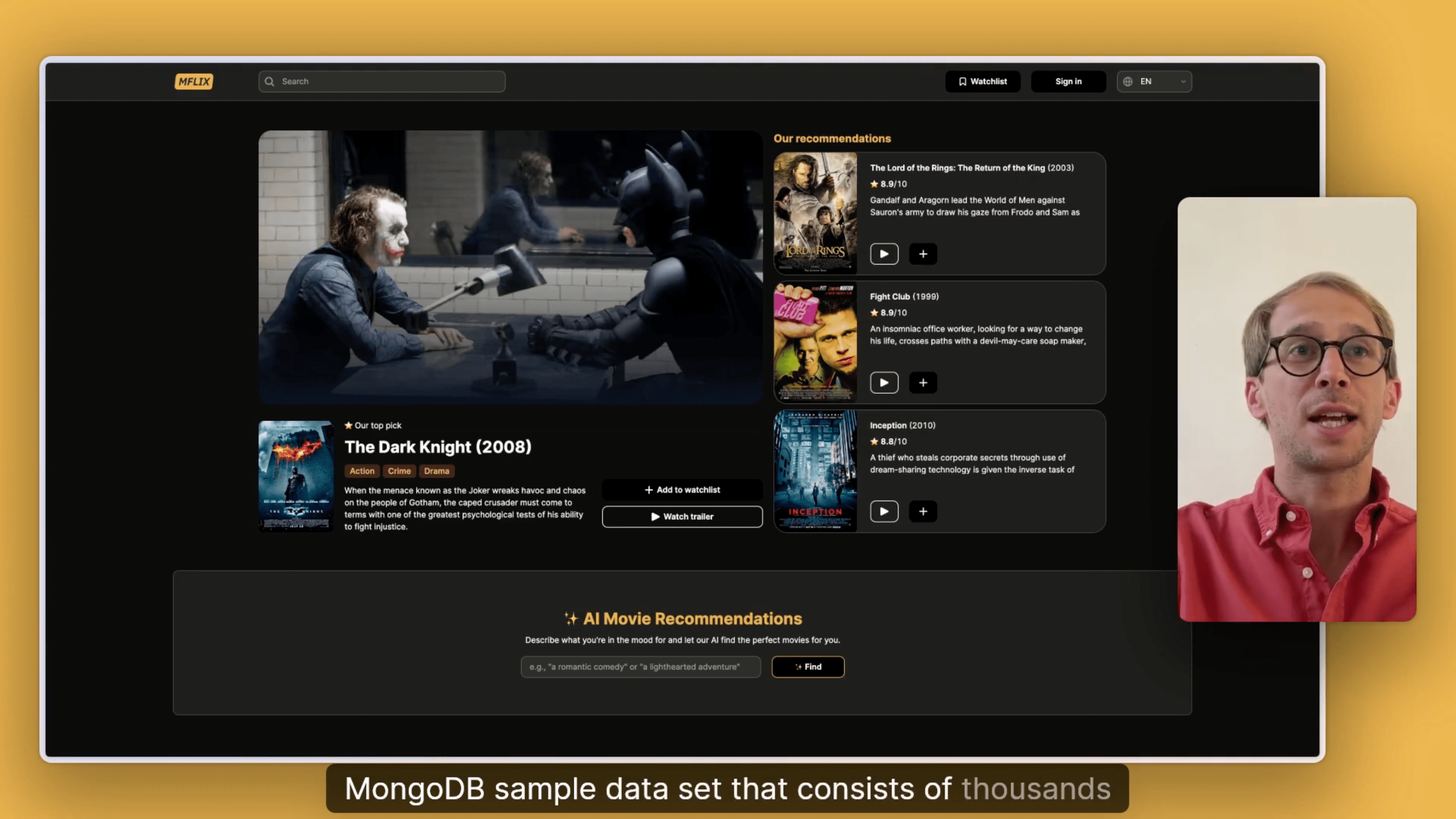
We've created an application on top of the Mflix MongoDB sample data set, which contains thousands of movies, user comments, and theater information.
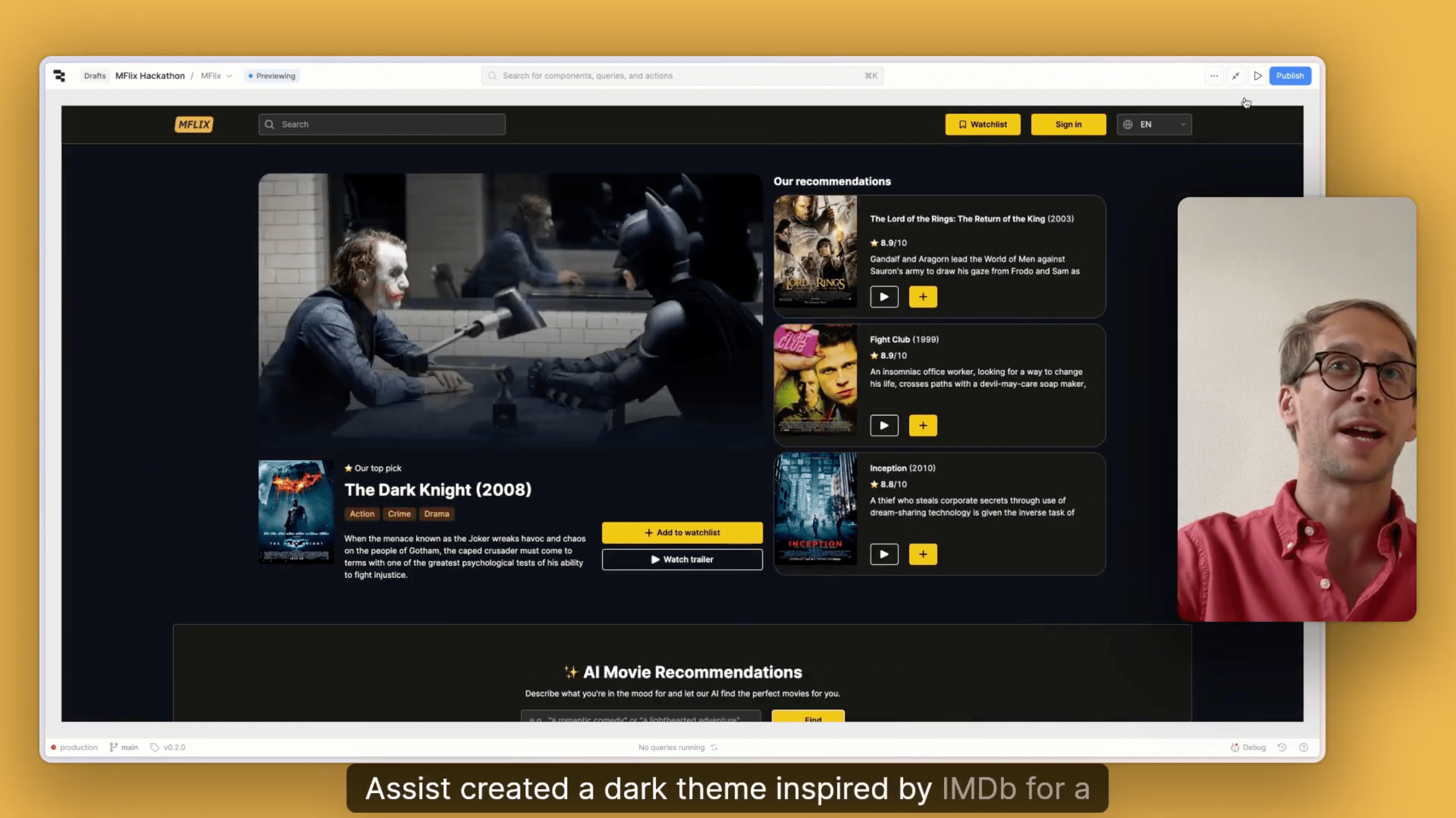
At the top, we display our featured movie, The Dark Knight, along with three additional recommendations. Below that, there’s an AI-powered movie recommendation feature where you can describe the type of movie you want to watch, and an LLM will suggest a matching title.
Further down, we show a Rotten Tomatoes gallery ranked from highest to lowest, which you can browse through. This is followed by a section highlighting the most discussed movies. When you click any movie poster, its comments appear in a modal. At the bottom of the page, there’s a complete overview of all movies in the database, with built-in pagination.
First prompts with Assist
Let’s jump into the Retool editor to see where Assist lives. In the bottom-left corner, you’ll find the Assist icon. Clicking it opens the chat interface, where you can tell Assist exactly what you want. For example: “Create an application on top of the Mflix data and build an IMDb-style app.”

Assist interprets your prompt and scaffolds an application based on your description and the data sources it has access to. As you can see, it generated a fully working Retool application connected to the Mflix dataset, complete with a searchable and filterable list of all movies.
Assisted wiring of components
When I started this project, I already had a vision for what the application should look like. So I'm going to start fresh, place some placeholder components on the screen, and then ask Assist to wire them up with data.
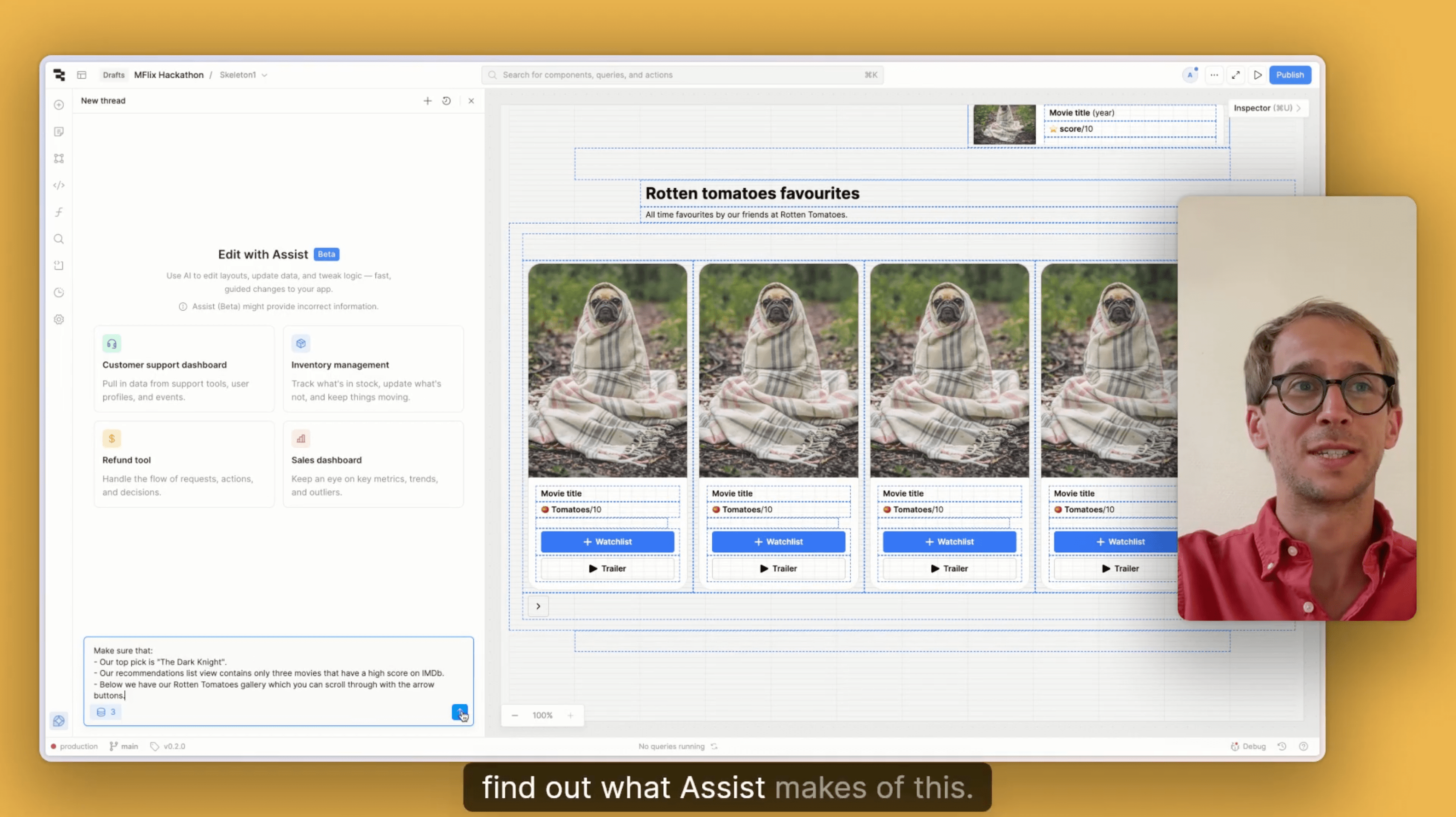
As you can see, I’ve added a few components, and it’s starting to resemble the application I showed you at the beginning of the video. We have the image of the highlighted movie, some details about that movie, a list view for the recommendations, and a scrollable image gallery with next and previous buttons.
Now that everything is in place, let’s open Assist and give it the instructions to wire up the components. I’ll start a new thread and say: “Set our top pick to The Dark Knight, limit the recommendations list to three movies with a high IMDb score, and make sure the Rotten Tomatoes gallery below is scrollable using the arrow buttons.”
Let’s take a look at what Assist produced from our prompt. The Dark Knight poster, plot, and title are all correctly filled in. We have our recommendations list, and the Rotten Tomatoes gallery is in place as well. It looks like Assist did exactly what we asked. I also fine-tuned the layout a bit to make everything look cleaner, which didn’t take much time.
AI movie recommendations
The final feature I want to highlight is the AI movie recommendation feature. The goal is to let a user describe the type of movie they want in natural language, and then query the MongoDB dataset to find the closest matches.
Here’s how it works: the MongoDB dataset includes a movie embeddings field, which is a technical representation of what each movie is about. The LLM compares the user’s description with these embeddings and determines which movies are the best semantic match. The result is a list of movies that genuinely align with what the user described.
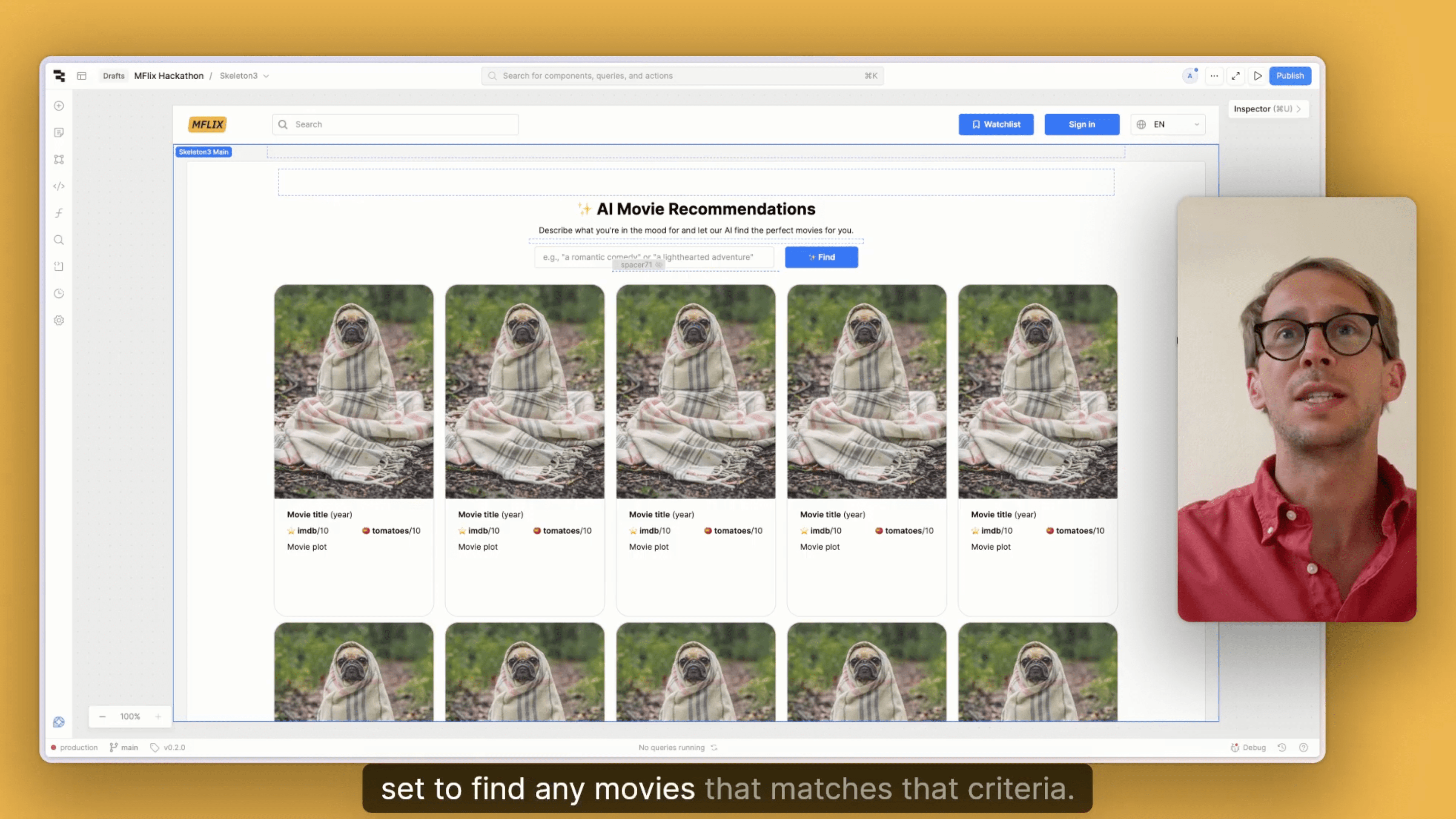
All right, let’s make this happen. I’ve already selected the container that holds our AI movie recommendation feature and prepared a prompt. I’ll paste it into Assist:
“I want to allow users to search for movies using natural language. When a user submits a query, use OpenAI to generate an embedding of the input text, pass that embedding into a vector search against MongoDB Atlas, and then return and display the five most relevant movies in the AI movie section.”
It took a couple of minutes, and Assist asked a few clarifying questions along the way, so the process was quite interactive. But once everything was resolved, the AI movie recommendation feature was ready. Just like in the demo at the start of the video, I’ll search for a movie with spiders. Let’s try it out. That was fast, it returned all the movies related to spiders, so the feature is clearly working.
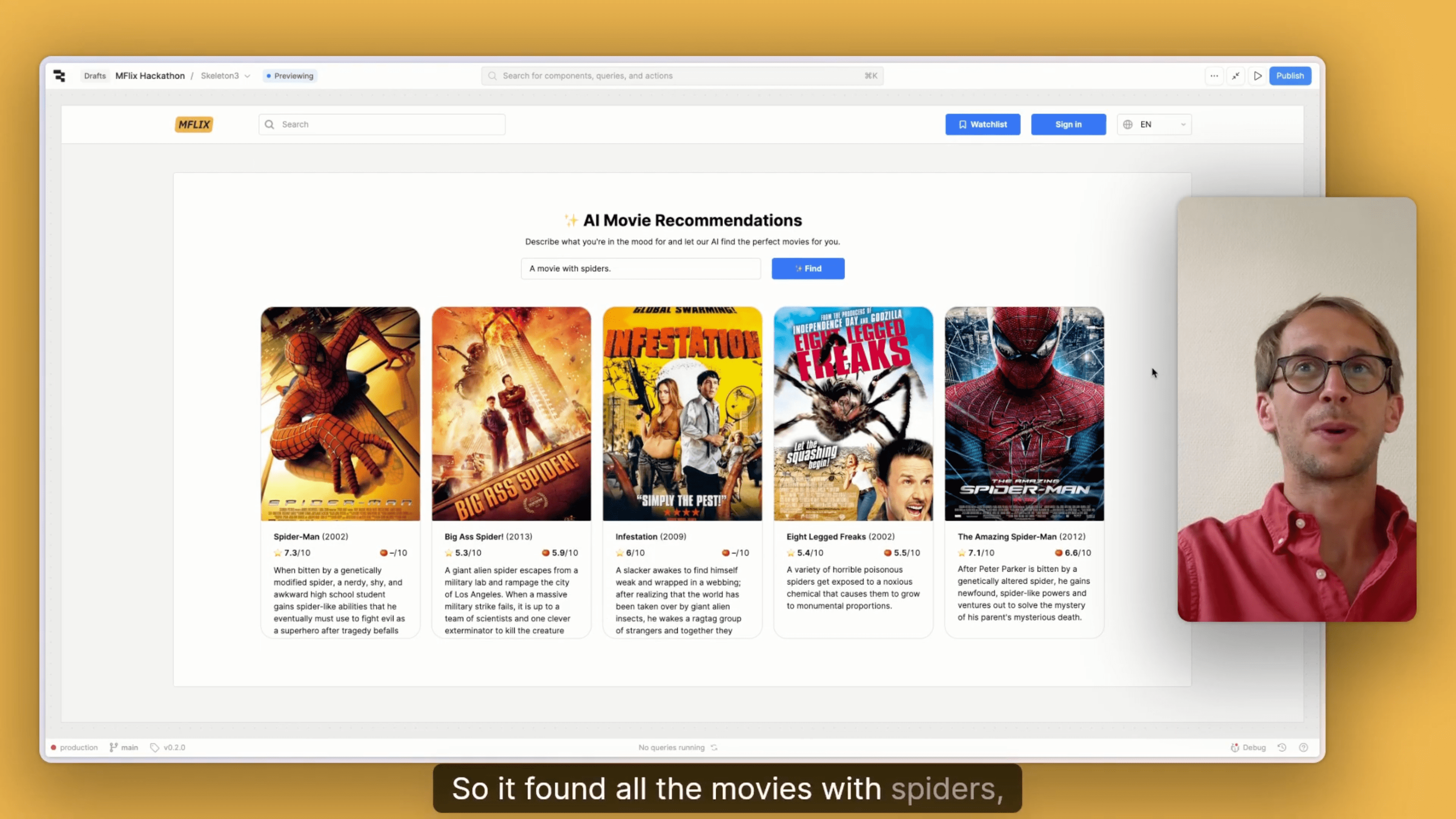
It’s impressive that Assist can help you build more advanced functionality like this, and that it asks follow-up questions to ensure the result works exactly as intended.
Assisted theming
As you can see, we now have a fully working application created with Assist. We built the header section together, added the AI movie recommendation feature, and included the Rotten Tomatoes gallery, the most discussed movies, the full movie list, and the footer. The only thing missing is the classic dark theme you’d expect from an IMDb-style interface.
So as a final step, I’m going to ask Assist: “Make sure the theming of this application matches an IMDb-style app.” In no time, Assist generated a dark theme inspired by IMDb, and the result looks great.
In conclusion
I hope this video gave you a clear idea of what Assist is and how you can use it inside your Retool applications. We at Sixth Generation are genuinely excited about this feature. If you have any questions about how you could apply it in your own project, feel free to reach out.
Thank you for watching, I'm checking out!
Want to learn more about Retool?
Are you exploring how Retool Assist can can help you build internal applications even faster? Take a look at our What is Retool? page for a deep dive!


