
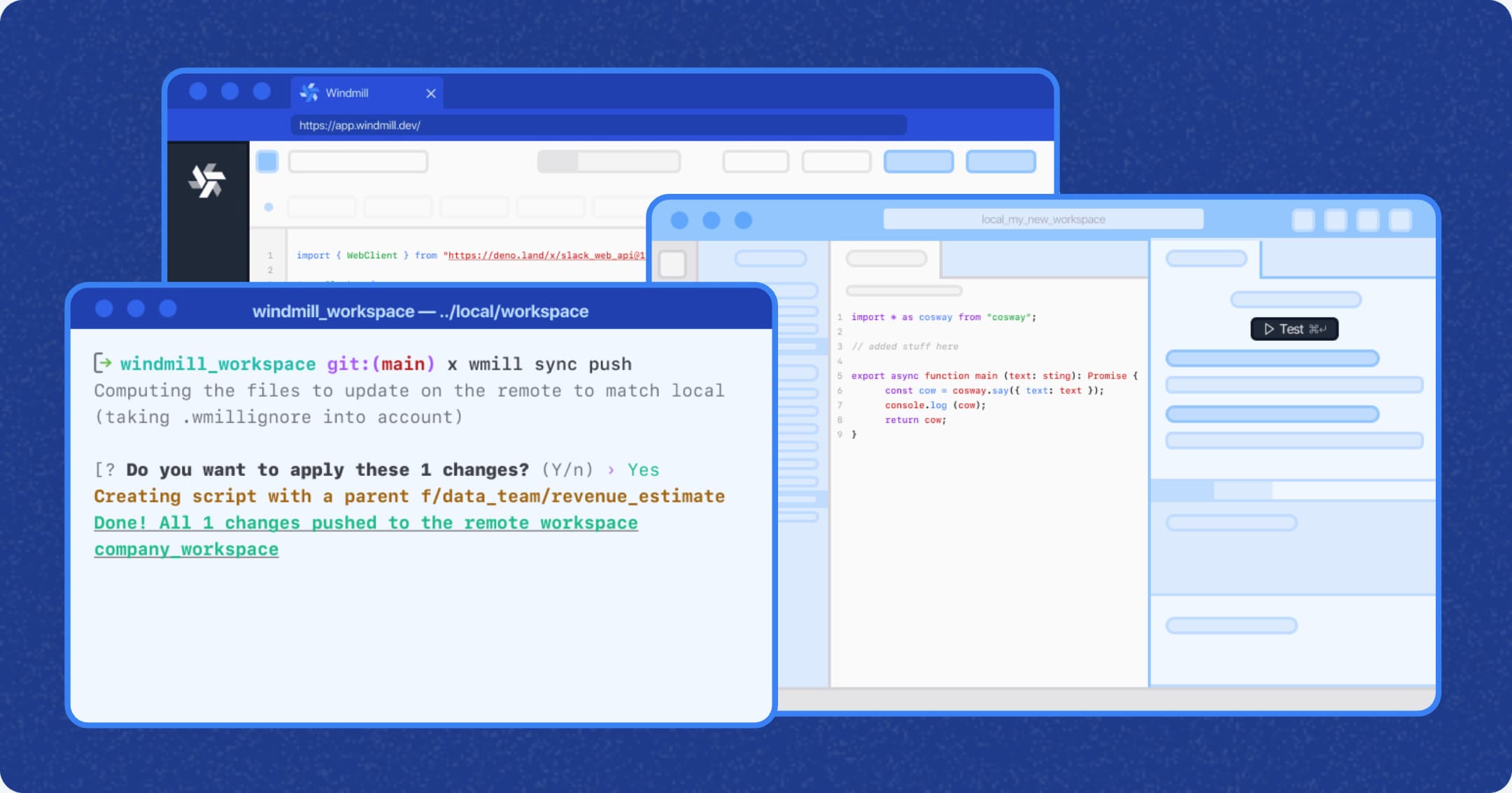
How it works
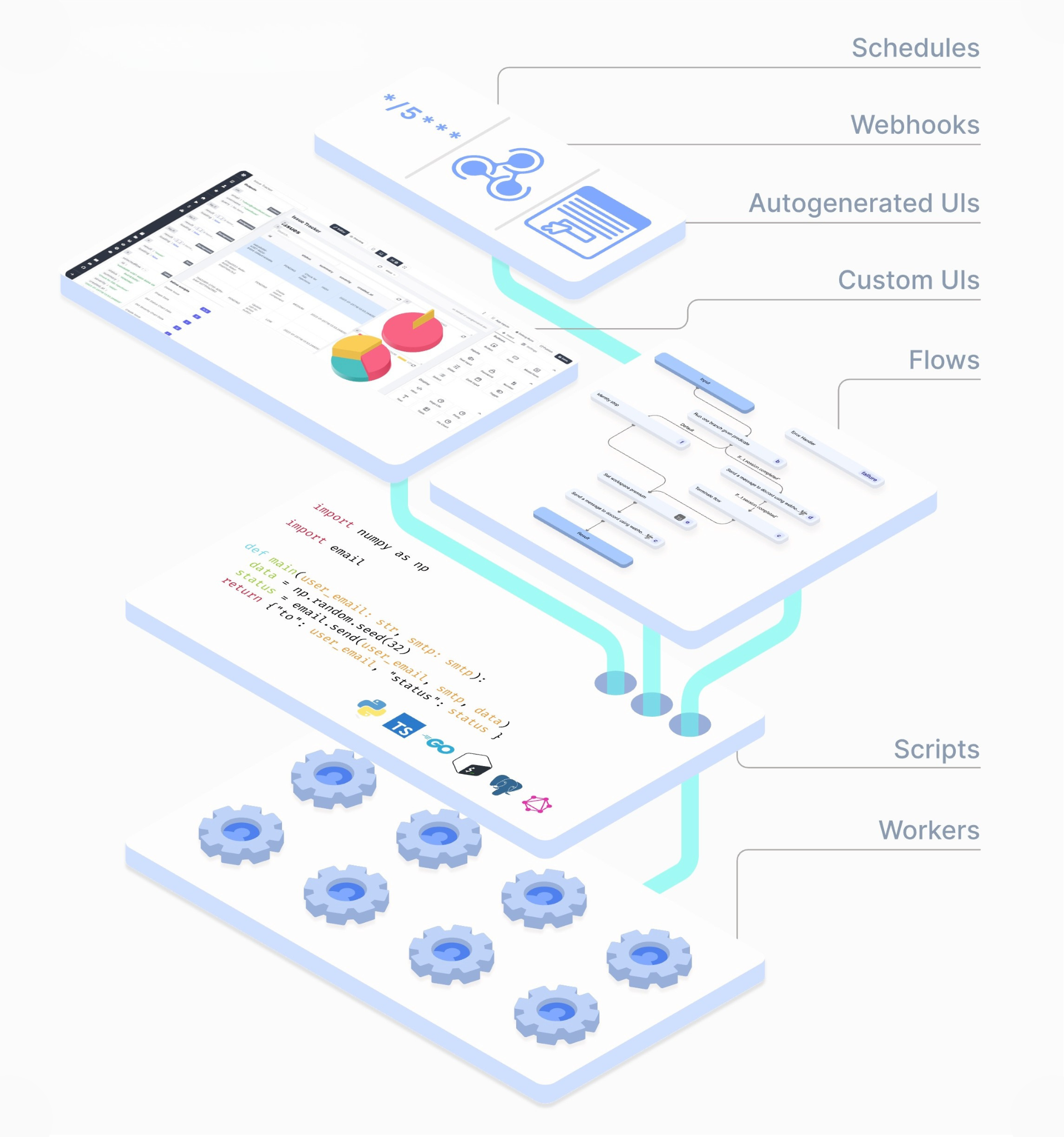
Windmill is built around three building blocks:
- Scripts: write executable code in your language of choice. Test in the editor or call from anywhere.
- Flows: chain scripts into workflows. Trigger via webhook, CRON, or button. Add branches, loops, and error handling.
- Apps: turn scripts and flows into interfaces. Forms, tables, buttons. No code required to run them.
Each layer builds on the previous one. A script written today can power a flow tomorrow and be exposed through an app next week. Nothing gets thrown away.
Example: write a Python script that pulls Stripe data, chain it into a flow that enriches records and syncs to your warehouse, then expose it as an app which your finance team triggers with one click.
Example: write a Python script that pulls Stripe data, chain it into a flow that enriches records and syncs to your warehouse, then expose it as an app which your finance team triggers with one click.
Windmill in action
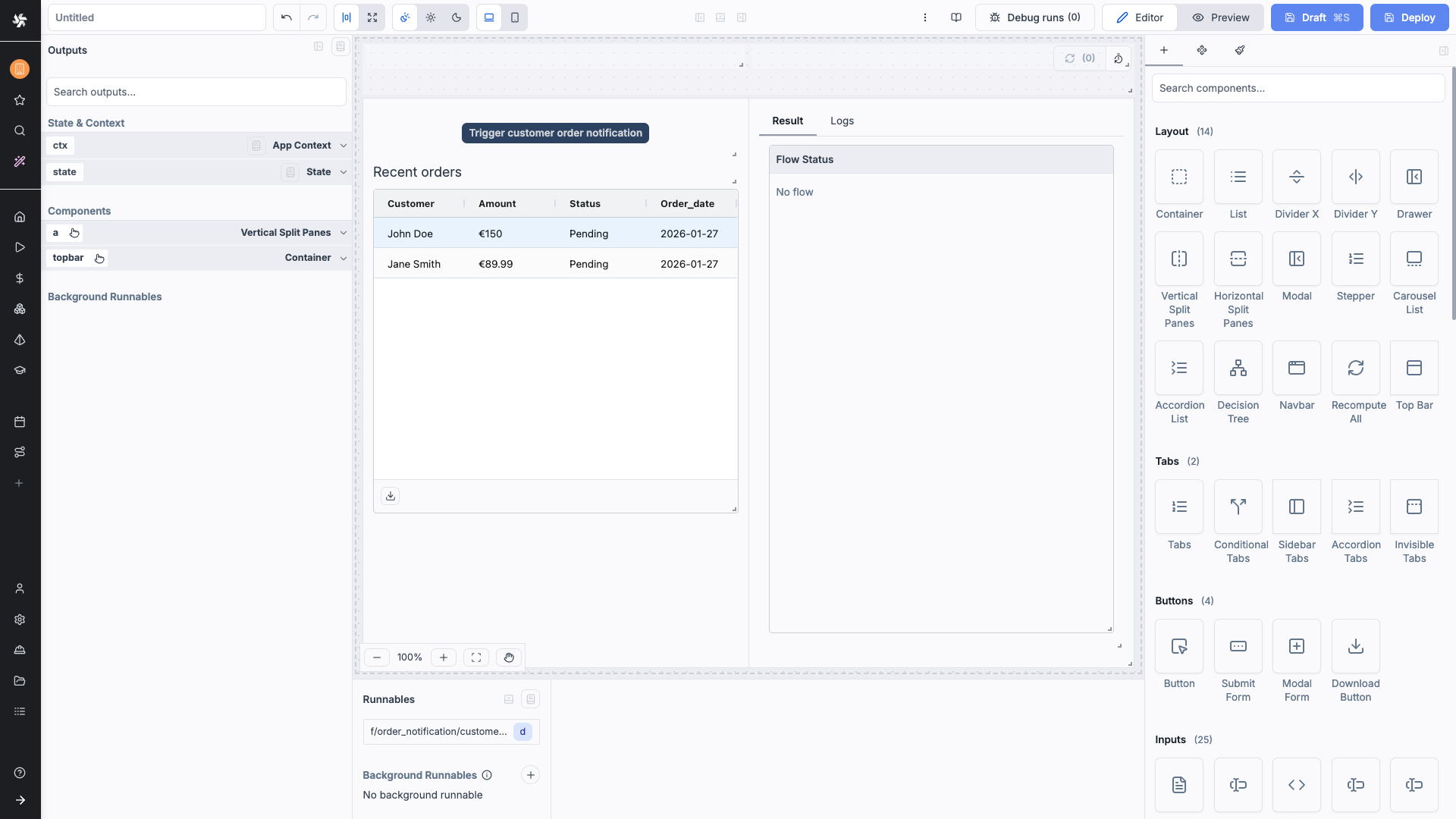
Here's how it works in practice. Let's say you need to send order confirmations to customers whenever new orders come in.
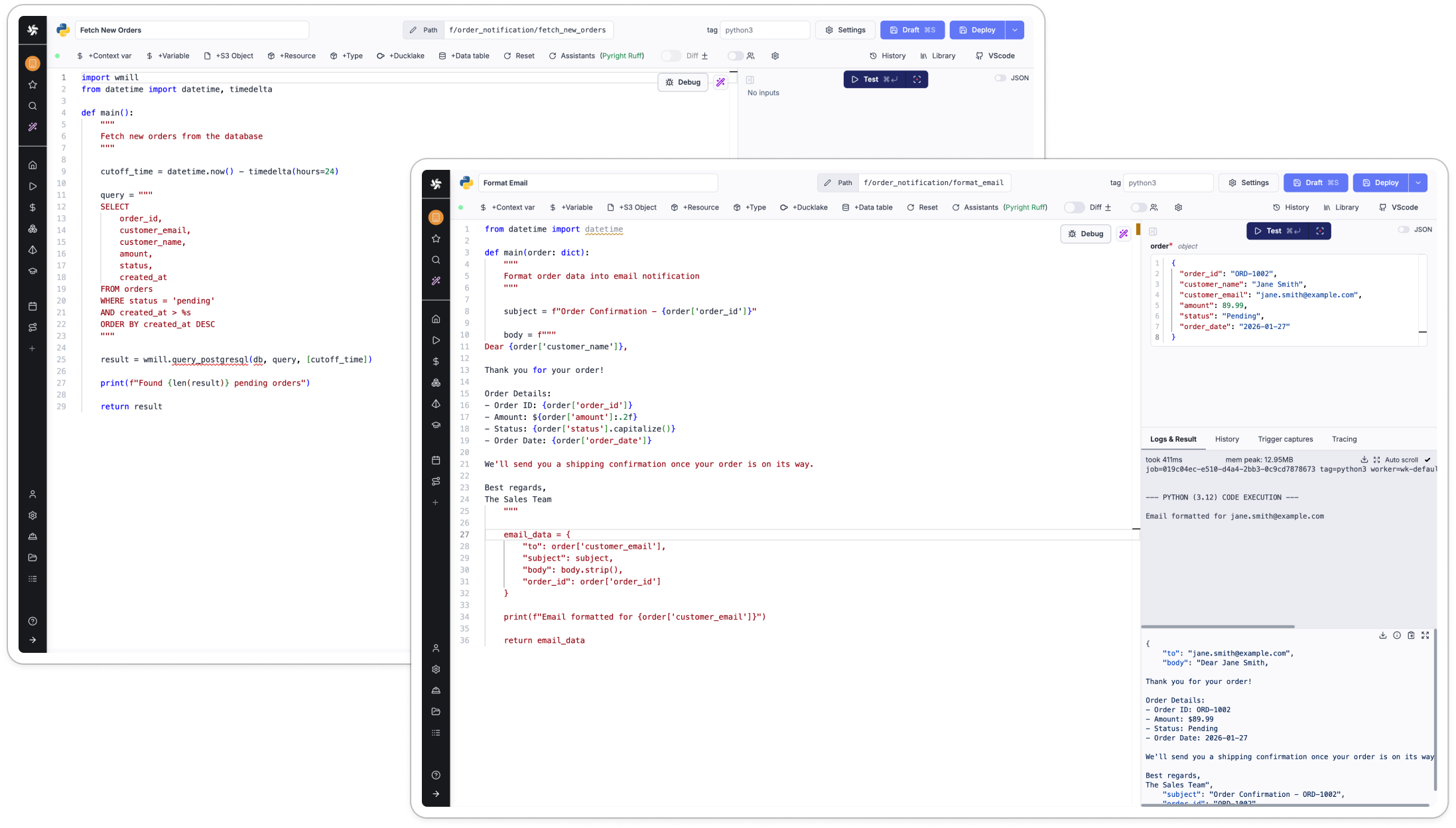
Start with scripts. Write one script to fetch new orders from your database. Write another to format the email. Each script does one thing well.
Start with scripts. Write one script to fetch new orders from your database. Write another to format the email. Each script does one thing well.
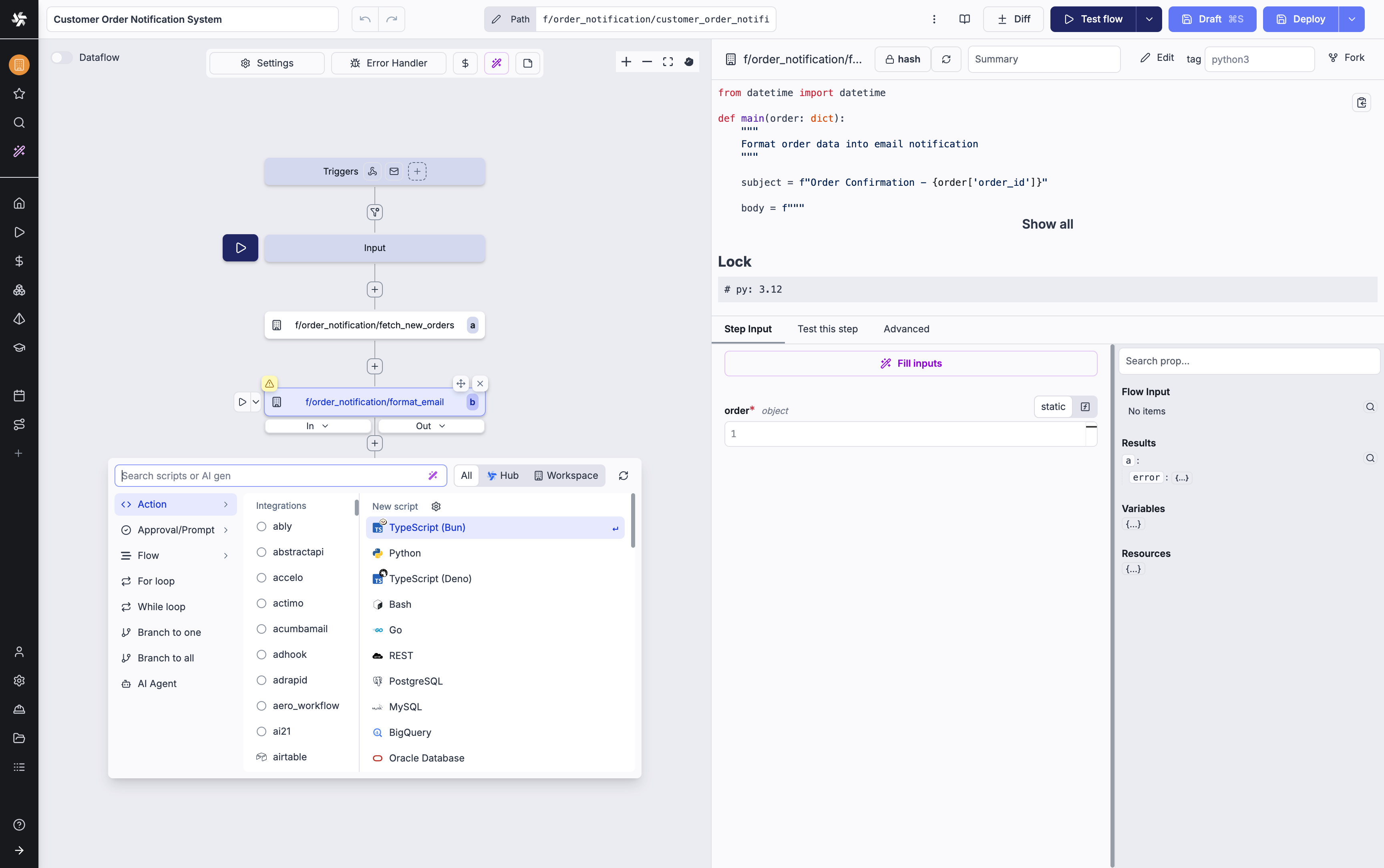
Connect them into a flow. String your scripts together. The first script pulls orders, the second formats notifications. Add triggers so it runs automatically or on demand.
Add a simple UI. Turn your flow into an app. Now your team can trigger notifications with a button, see recent orders in a table, and monitor what's running.
When to choose Windmill?
Best for teams that write real code and want to automate workflows quickly, without owning the infrastructure underneath. Strong fits include:
- Data pipelines and ETL that run on schedules
- Backend automation (orders, notifications, inventory)
- Rapid prototyping of business logic
- Consolidating scattered scripts into one platform
Typical users: platform engineering teams, data teams who want Airflow-style orchestration without the overhead, and backend teams automating ops across multiple services.
The open-source model is a real advantage: self-host, audit the codebase, no vendor lock-in. For regulated industries with strict compliance requirements, this matters.
The open-source model is a real advantage: self-host, audit the codebase, no vendor lock-in. For regulated industries with strict compliance requirements, this matters.
When it's not the right fit
- Design-first apps: the UI builder is functional, not beautiful. Not for public-facing SaaS products.
- Non-technical teams: this is a code-first platform. No drag-and-drop builder.
- Simple CRUD apps: Retool or Appsmith will get you there faster.
- Custom infrastructure needs: if you need low-level system control, traditional development gives you more flexibility.
Windmill vs. the alternatives
Windmill
Primary Strength
Workflow engine
Code required
Yes (8+ languages)
Open-source
Fully
Built-in UI builder
Yes (functional)
Workflow orchestration
Strong
Retool
Primary Strength
Internal UI builder
Code required
JS/SQL
Open-source
No
Built-in UI builder
Yes (mature)
Workflow orchestration
Medium
n8n
Primary Strength
No-code automation
Code required
No
Open-source
Partial
Built-in UI builder
No
Workflow orchestration
Strong (visual)
Temporal
Primary Strength
Durable workflow execution
Code required
Yes (Go, Java, Python, TS)
Open-source
Yes (server)
Built-in UI builder
No
Workflow orchestration
Very strong
Platform
Primary Strength
Code required
Open-source
Built-in UI builder
Workflow orchestration
Windmill
Workflow engine
Yes (8+ languages)
Fully
Yes (functional)
Strong
Retool
Internal UI builder
JS/SQL
No
Yes (mature)
Medium
n8n
No-code automation
No
Partial
No
Strong (visual)
Temporal
Durable workflow execution
Yes (Go, Java, Python, JS)
Yes (server)
No
Very strong
vs no-code (Zapier, Make, n8n): Great until you need real logic. Windmill lets you write it properly. Pick no-code for simple SaaS integrations; pick Windmill when you need more than "if this, then that." Typical users: platform engineering teams, data teams who want Airflow-style orchestration without the overhead, and backend teams automating ops across multiple services.
vs workflow engines (Airflow, Temporal): Battle-tested and powerful, but operationally heavy. Windmill offers similar capabilities with easier setup and a built-in UI. Already running Airflow with a dedicated team? Keep it. Starting fresh? Windmill is the faster path.
vs admin panel builders (Retool, Appsmith): Retool's UI is more polished. Windmill wins when you need both powerful workflows and internal tooling in one place.
vs workflow engines (Airflow, Temporal): Battle-tested and powerful, but operationally heavy. Windmill offers similar capabilities with easier setup and a built-in UI. Already running Airflow with a dedicated team? Keep it. Starting fresh? Windmill is the faster path.
vs admin panel builders (Retool, Appsmith): Retool's UI is more polished. Windmill wins when you need both powerful workflows and internal tooling in one place.
What makes Windmill different
- Code-first: write real scripts, don't translate logic into visual blocks
- Open-source by default: self-host, audit everything, no lock-in
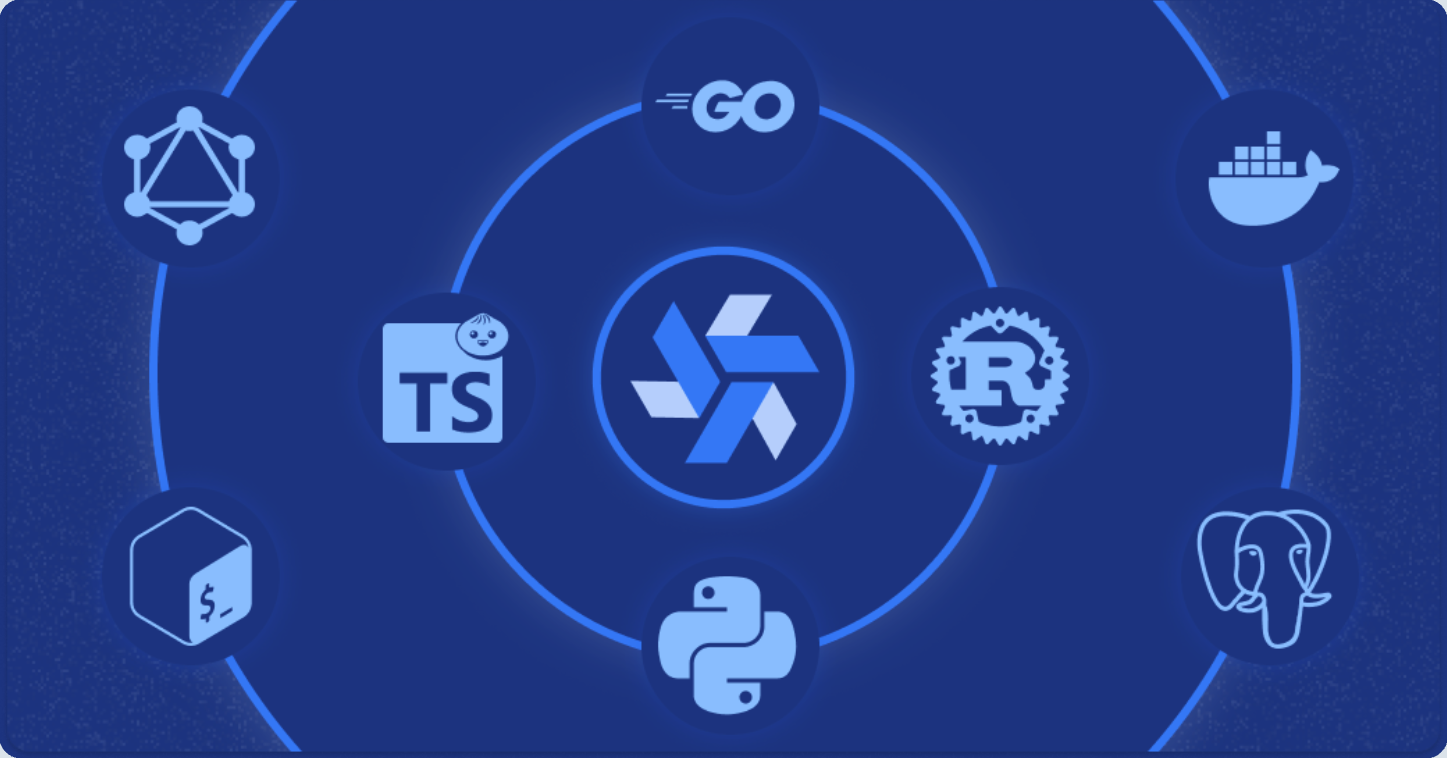
- Multi-language: mix Python, TypeScript, Go, Bash, SQL, PHP, C#, and Rust in one pipeline
- Fast execution: short cold starts, low latency vs traditional workflow engines
- End-to-end: scripts, flows, and apps in one system
What does is cost?
Windmill is free to self-host. The open-source tier covers unlimited executions, up to 50 users, and 3 workspaces. The Enterprise plan starts at $120/month and adds SAML, audit logs, Git sync, autoscaling, and 24/7 priority support. Nonprofits and SMBs can access it from $48/month, with a 16% discount billed annually.
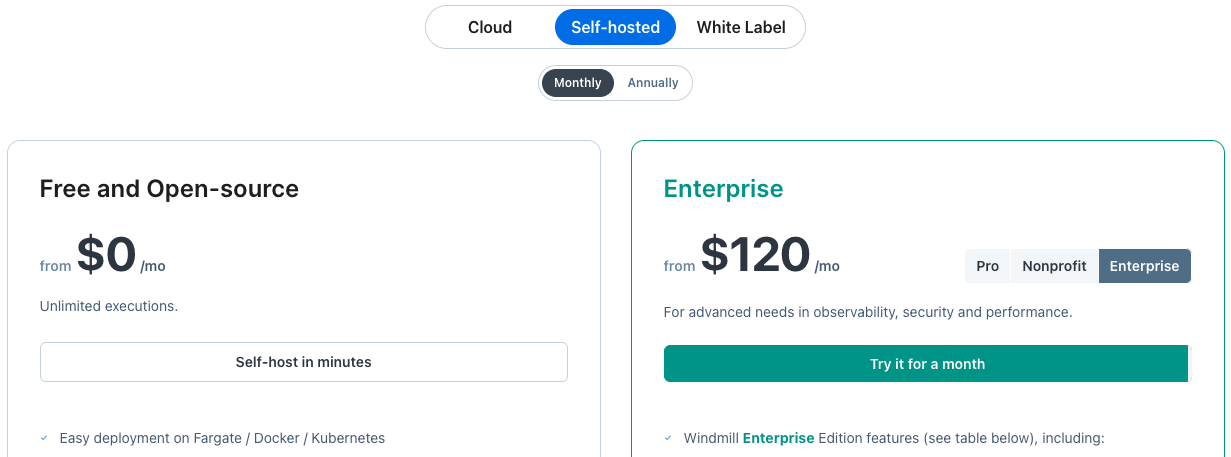
Windmill Self-hosted pricing in February 2026
For teams that prefer managed infrastructure, cloud hosting is available with a Team tier at $10/month for up to 10 seats. Pricing scales by role: developers at $20/month, operators at $10/month. You pay for builders, not viewers.
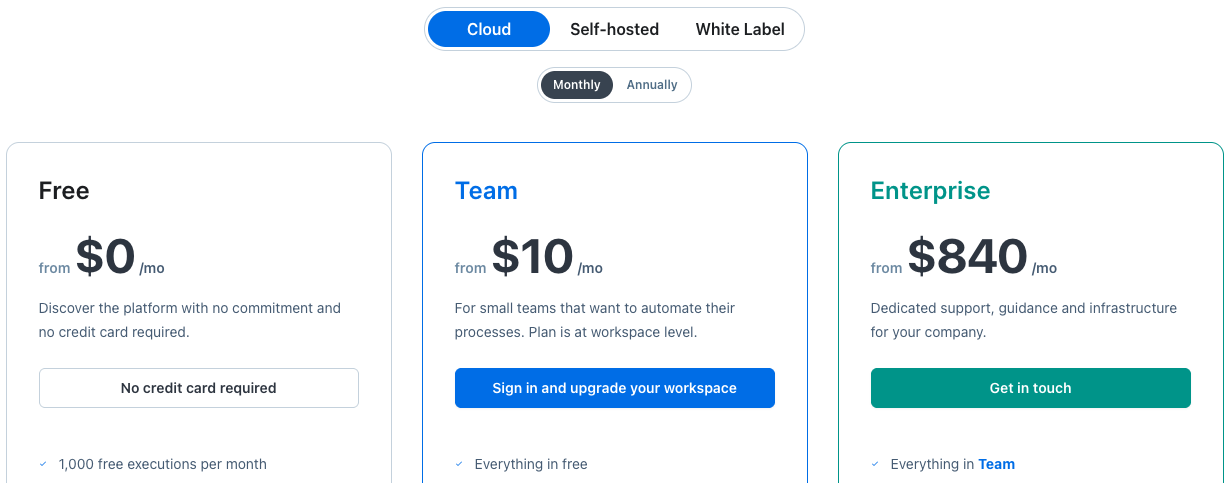
Windmill Cloud pricing in February 2026
Worth noting: self-hosting has no licence fees, but someone still needs to run it. For teams without DevOps capacity, that hidden cost adds up.
Who uses it?
Developer-focused teams that want infrastructure control and can't afford proprietary lock-in. It shows up most in engineering teams running backend automation, data pipelines, and internal tooling in regulated or security-conscious environments.
A case study of Panther Labs: When Airplane.dev shut down, they had 30 days to migrate their entire internal operations platform. They chose Windmill and built a portable architecture: business logic in a separate Python library, Windmill handling orchestration only. Today, 60% of their internal platform runs on Windmill across mission-critical cybersecurity workflows.
The key takeaway: Windmill let Panther separate business logic from platform orchestration, giving them portability and control they didn't have before.
A case study of Panther Labs: When Airplane.dev shut down, they had 30 days to migrate their entire internal operations platform. They chose Windmill and built a portable architecture: business logic in a separate Python library, Windmill handling orchestration only. Today, 60% of their internal platform runs on Windmill across mission-critical cybersecurity workflows.
The key takeaway: Windmill let Panther separate business logic from platform orchestration, giving them portability and control they didn't have before.

"We got bit once before... determined not to get bit again by the sun setting of a startup platform." – BJ Maldonado, Platform Manager at Panther Labs
Quick answers
Can non-developers use Windmill?
Not to build. But developers can expose scripts as apps that anyone can run.
Windmill vs n8n?
n8n requires no code. Windmill requires coding but handles far more complex logic. Pick based on your team's capabilities.
Is it production-ready?
Yes. Autoscaling, dedicated workers, audit logging, and SOC 2 Type II compliance on Enterprise.
Is it suitable for enterprise?
Yes. SAML, SSO, audit logs, Git sync, and 24/7 support are all available on the Enterprise plan.
Not to build. But developers can expose scripts as apps that anyone can run.
Windmill vs n8n?
n8n requires no code. Windmill requires coding but handles far more complex logic. Pick based on your team's capabilities.
Is it production-ready?
Yes. Autoscaling, dedicated workers, audit logging, and SOC 2 Type II compliance on Enterprise.
Is it suitable for enterprise?
Yes. SAML, SSO, audit logs, Git sync, and 24/7 support are all available on the Enterprise plan.
How Sixth Generation helps
Getting Windmill right takes more than spinning up a Docker container. Early decisions around script structure, environments, and permissions determine whether it scales cleanly or becomes a burden.
We evaluate fit, design architecture, build workflows, and work with your team. If Windmill isn't the right answer, we'll tell you.
Ready to build? Let's talk.
We evaluate fit, design architecture, build workflows, and work with your team. If Windmill isn't the right answer, we'll tell you.
Ready to build? Let's talk.


